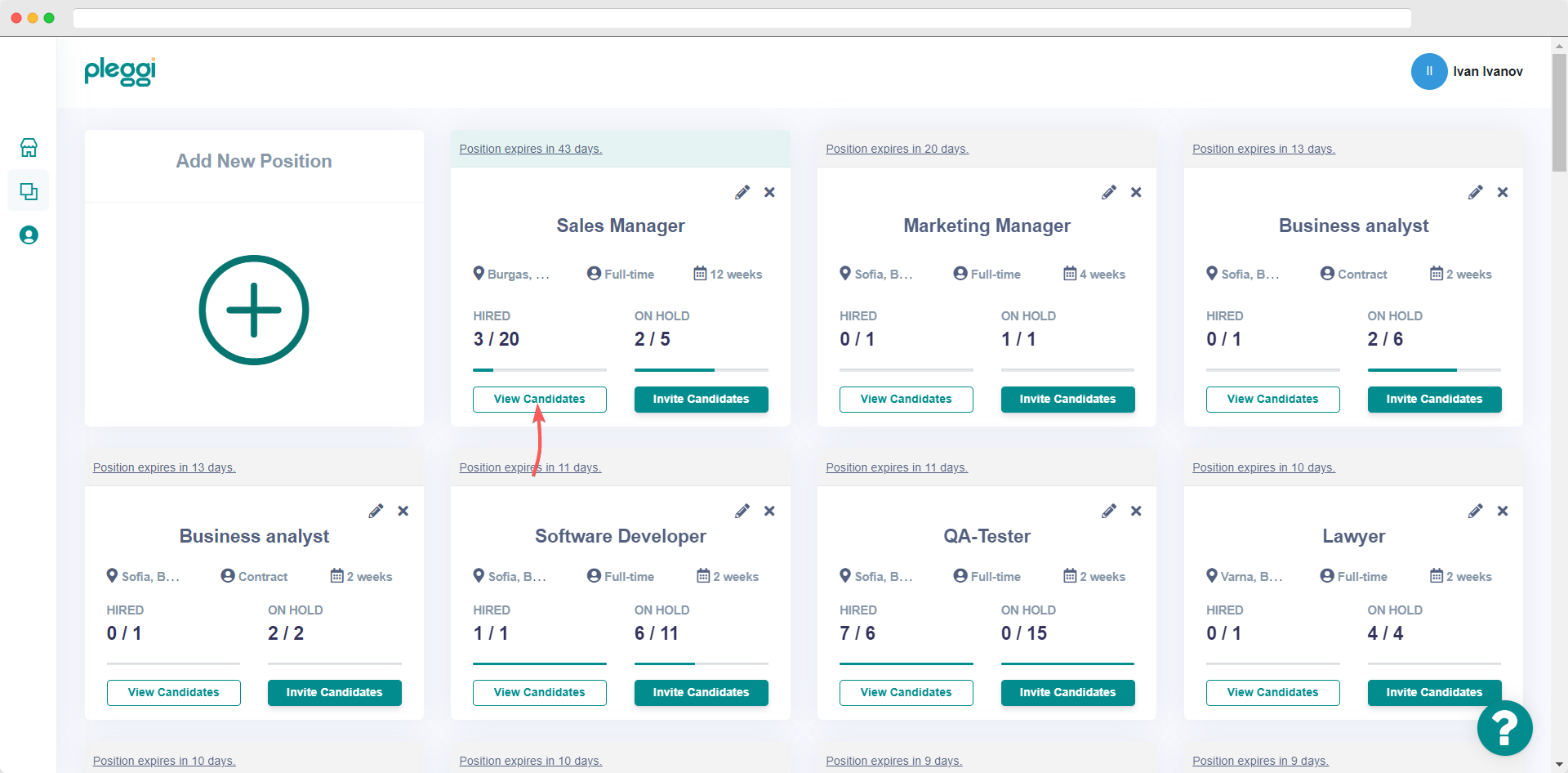
In order to see the list of job candidates that applied for a specific position you should first click on the "View candidates" button.
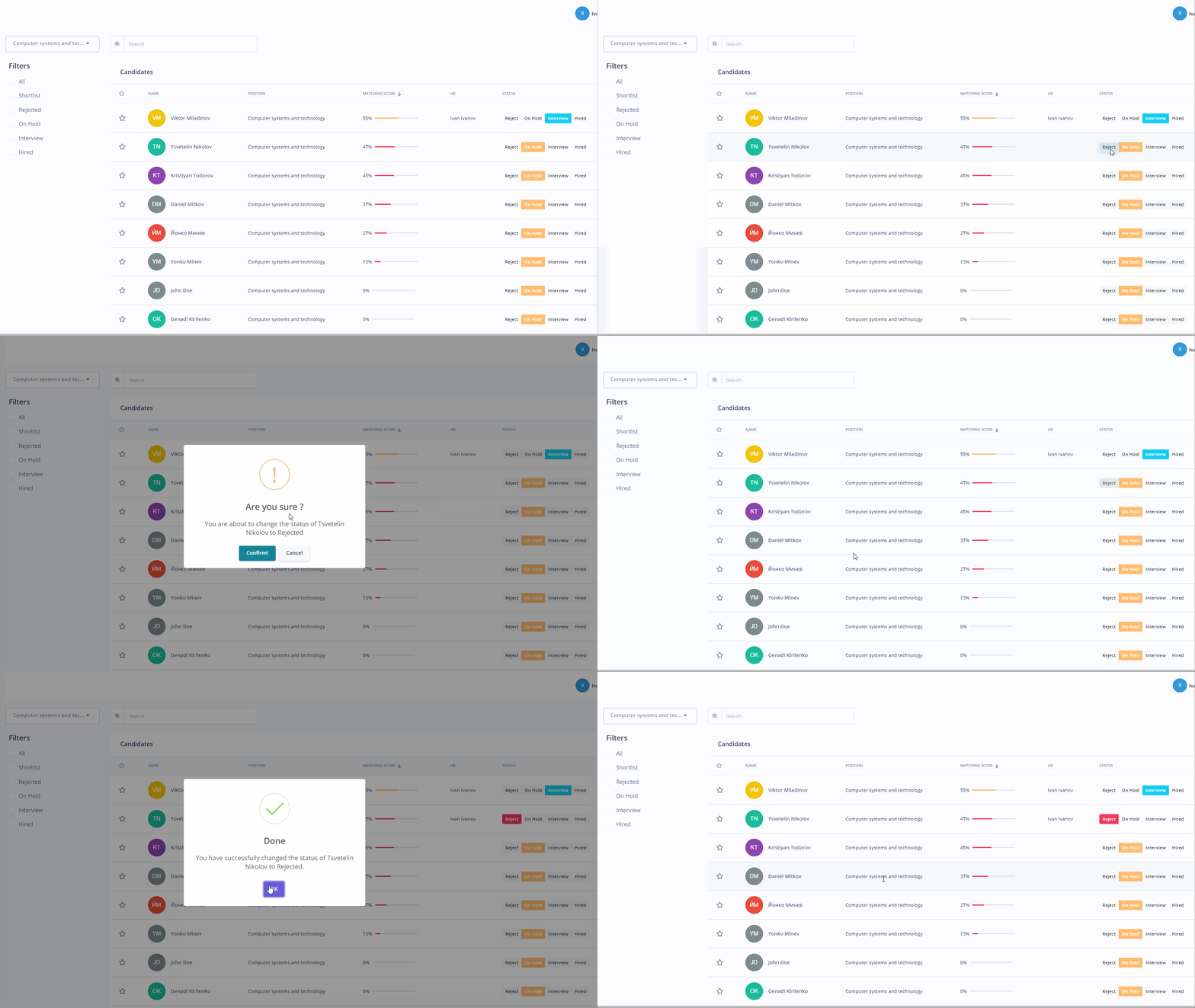
After you see the list of candidates you can easily change the status of each one by clicking on one of the following:
1. Reject - If you like to reject a certain candidate for the position.
⚠️ If you reject a candidate you cannot change their status anymore. This is an irreversible action!
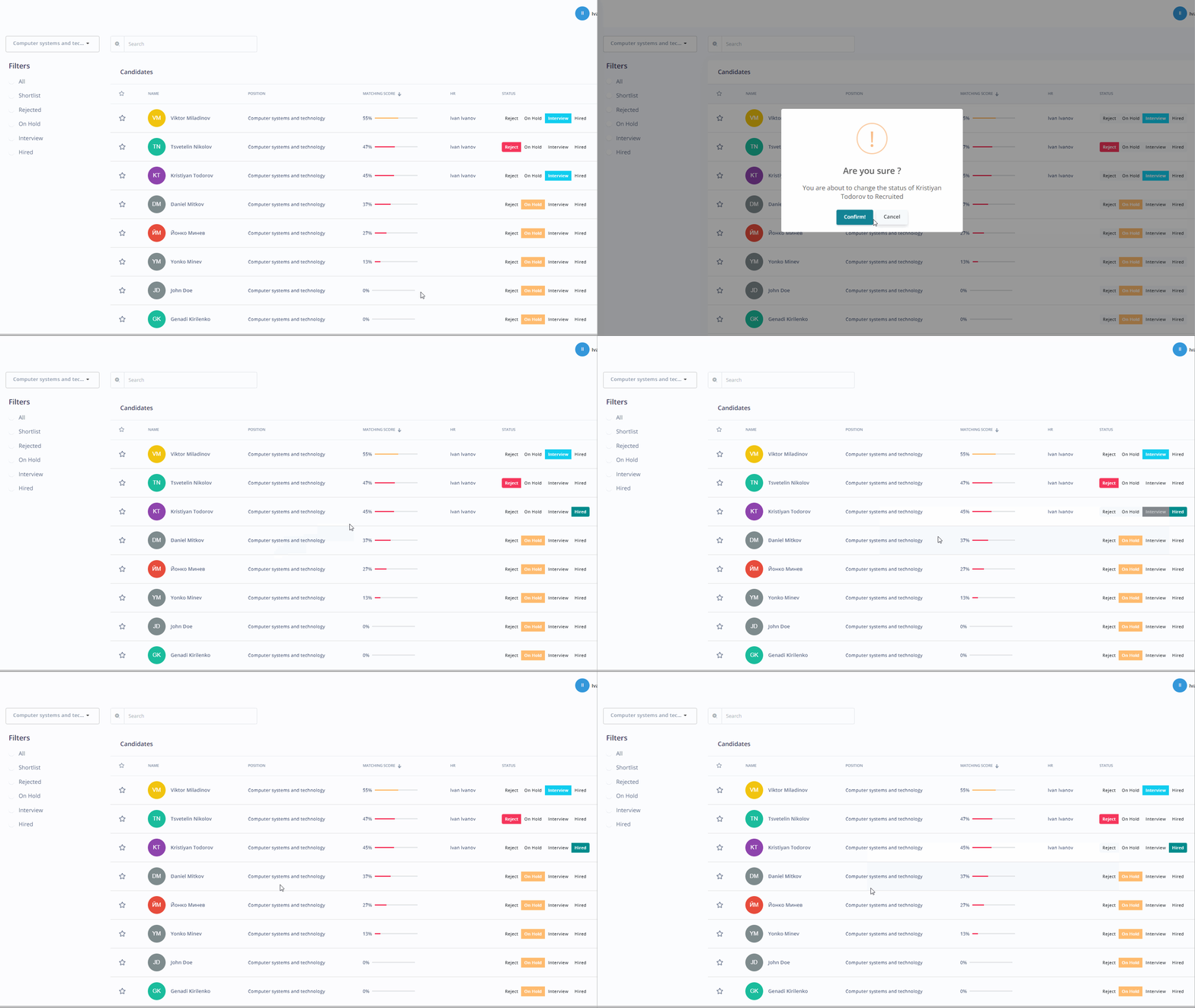
2. Interview - If you like to accept a certain candidate for the interview process.
⚠️If you accept to interview a candidate you can only change their status to "reject" or "hired" (you cannot change it anymore to "on hold")!

3. Hired - If you like to change the candidate's status to "hired".
⚠️If you change someone's status to "hired" you cannot change it anymore. This is an irreversible action!
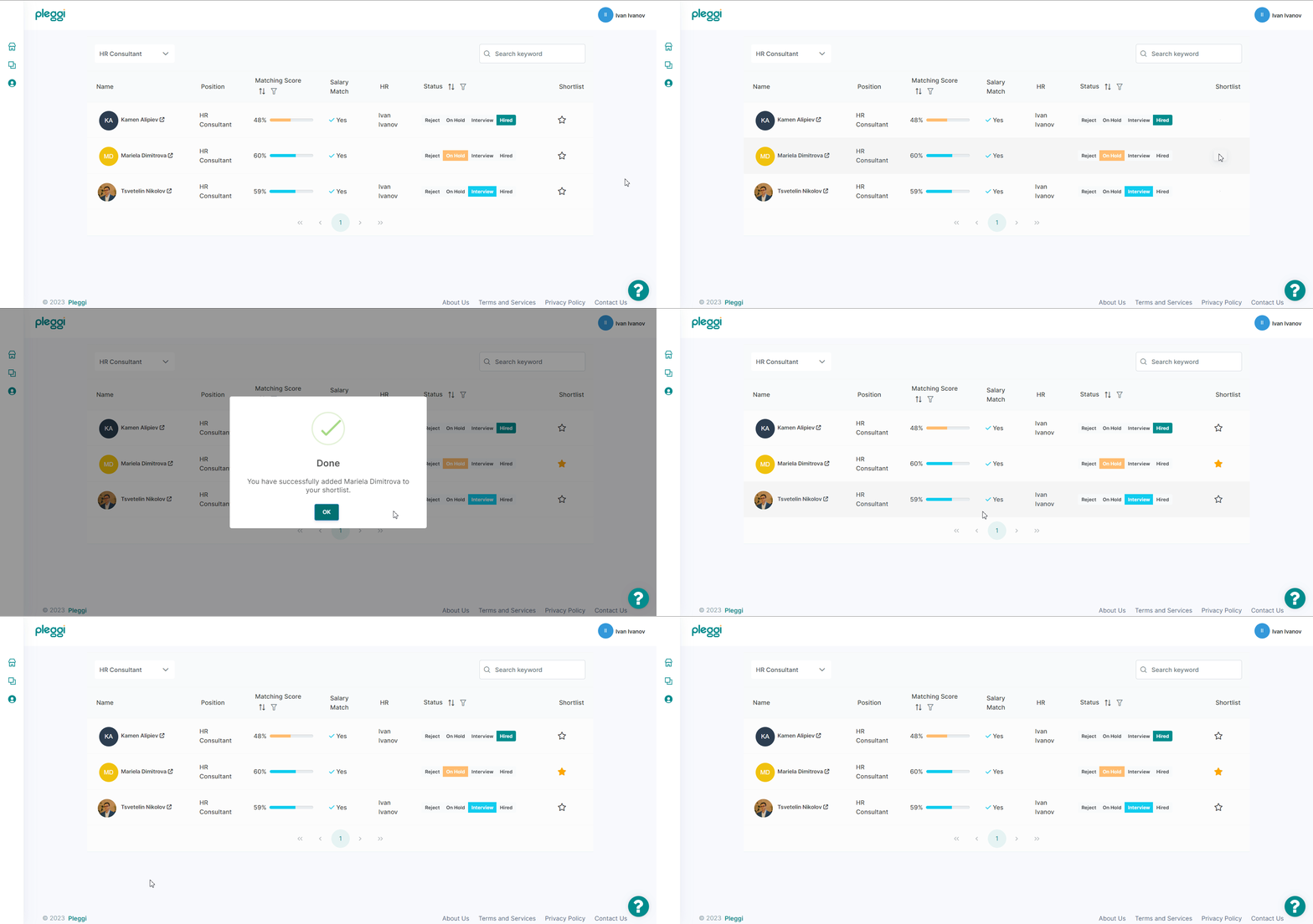
If you liked some job candidate but are not ready with your decision yet (to change its status) you can always add it to your shortlist with a single click on the ⭐️"star" symbol next to each name.
🚀 Elevate Your Hiring Game with Pleggi!